MobiFlix APK: Free Movies and TV Shows, No Sign-Up Required
MobiFlix is a free Android app for streaming movies and TV shows without a subscription or account. You open it, search for a title, and start watching in seconds. Download the latest version 1.0.2 from the button below.
App Info
| Detail | Info |
| App Name | MobiFlix |
| Category | Free movie and TV streaming |
| Cost | Free |
| Account Required | No |
| Official Play Store Listing | No, sideload only |
| Devices Supported | Android, Fire TV, Android TV, PC via emulator |
| Version | 1.0.2 |
What Is MobiFlix?
MobiFlix is a free streaming app that gives you access to movies and TV shows without a paywall or sign-up screen. It isn’t distributed through the Google Play Store, so it has to be installed as an APK file instead of a normal app store download. A few streaming guides have noted its layout feels similar to the older OnStream app, though this hasn’t been confirmed by either developer.
MobiFlix isn’t the only app using this name. A separate, unrelated app also called Mobiflix exists on the Play Store, but that one only shows movie info and trailers, it doesn’t actually stream full content. This guide covers the standalone streaming APK, not that one.
How to Download and Install MobiFlix
- Enable Unknown Sources: Go to your device’s Settings, then Security, and turn on installs from Unknown Sources. This is required for any app installed outside the Play Store.
- Download the APK File: Tap the download button above to get the latest MobiFlix APK file onto your device.
- Open the Downloaded File: Find the file in your downloads folder and tap it to begin installation.
- Confirm the Install Prompt: Your device will show a permissions screen. Tap Install and wait for the process to finish, usually under a minute.
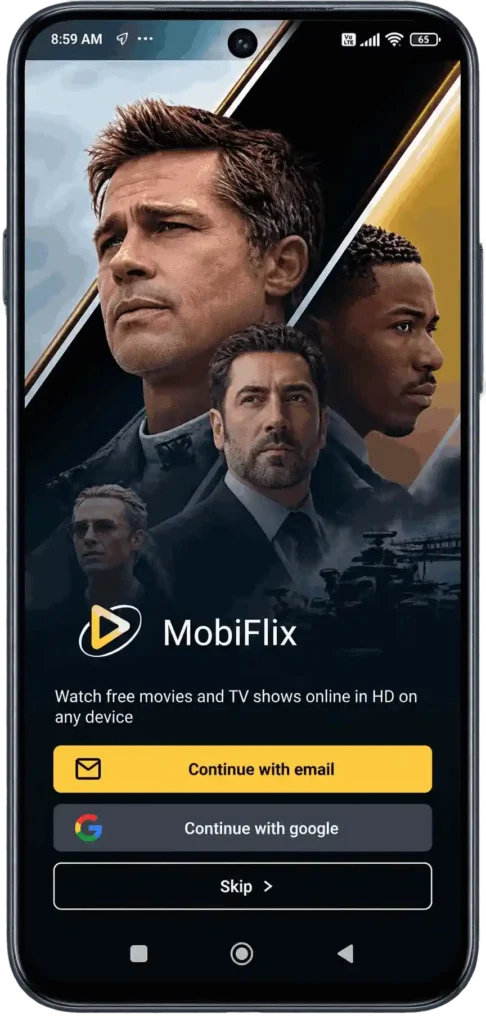
- Open MobiFlix and Start Watching: Launch the app from your home screen. Skip the optional sign-in screen if it appears, then search for a title and hit play.
Setting up on a TV instead of a phone? Our MobiFlix APK on Firestick and MobiFlix on Android TV and Smart TV guides cover those steps in detail.
Is MobiFlix Safe to Use?
MobiFlix isn’t reviewed or listed by an official app store, so there’s no built-in vetting process behind the file the way there is with Play Store apps. That doesn’t automatically make it unsafe, but it does mean the responsibility falls on you to download from a trustworthy source.
Avoid sites that bundle the installer with extra “helper” downloads, and consider running a VPN in the background, standard practice for any unverified streaming app.
Key Features of MobiFlix APK
Movies
Browse across genres including action, drama, comedy, and horror, with new releases added alongside older catalog titles.
TV Shows
Content is organized by season and episode, so picking up a series where you left off is straightforward.
Anime & Documentaries
Beyond mainstream movies and shows, the catalog stretches into anime and documentary content as well.
No Account Needed
Open the app and start watching immediately. An account is optional, not required.
Multiple Servers
If one stream buffers or fails to load, switch to a different server for the same title.
Offline Downloads
Save titles to watch later without an internet connection, useful for travel or spotty Wi-Fi.
Subtitle Support
Multiple subtitle languages are available, making the app usable outside English-speaking regions.
Tips for Safer, Smoother Use
- Download only from a source you trust, and skip anything bundled with extra installers.
- Run a VPN in the background for an added layer of privacy.
- Keep the app updated by reinstalling the latest APK periodically, since there’s no auto-update through a store.
- Switch servers inside the app if a title won’t load instead of assuming your device is at fault.
MobiFlix vs Other Free Streaming Apps
| App | Content Type | Live TV | Account Needed | Play Store Listed |
| MobiFlix | Movies, TV, anime | No | No | No |
| OnStream | Movies, TV | No | No | No |
| Syncler | Movies, TV | No | No | No |
| Popcornflix | Movies, TV | No | No | Yes |
Pros and Cons
Pros
- Completely free, no subscription
- No account required to start watching
- Works across phone, TV, and PC with the right setup
- Offline downloads for watching without internet
Cons
- Not available through the Play Store
- No automatic updates, manual reinstalls needed
- Some users have reported occasional server or playback issues
FAQ
Conclusion
MobiFlix gives you a straightforward way to stream movies and TV shows without paying or signing up, once you’re comfortable installing an APK outside the Play Store. Stick to a trusted download source, keep the app updated, and check our MobiFlix Alternatives guide if you ever need a backup option.